Key takeaways
- A ManageEngine badge is a free digital credential you earn by passing a User Academy course assessment.
- Finishing the videos does not earn the badge. Passing the assessment does.
- Your badge arrives by email from Credly right after you pass, and you claim it there.
- Badges follow the Open Badges standard, so anyone can verify them without contacting us.
- Badges do not expire.
A ManageEngine badge is a free digital credential that proves you completed a course on the ManageEngine User Academy and passed its assessment. You earn one by finishing a course and scoring a pass on the test at the end. Credly then emails you a link to claim the badge, and from there you can share it on LinkedIn, add it to your resume or send the verification link to an employer.
This guide walks through each step, from picking a course to getting the badge in front of the people who matter to your career. It is part of our guide to learning ManageEngine.
What is a ManageEngine badge?
A ManageEngine badge is a digital credential issued through Credly when you pass a User Academy course. Each course has its own badge. It records who issued it, what you had to do to earn it and when you earned it. Courses and badges are free, and the badge stays valid for as long as you keep it.
Think of a badge as a receipt for a skill, with the details attached. A PDF certificate says you took a course. A badge carries the course name, the criteria you met and the issuer inside the credential itself, so the claim travels with the image.
You can see every badge on offer on the Academy badges page.
How do you earn a ManageEngine badge?
You earn a ManageEngine badge in two steps. First, complete every lesson in a User Academy course. Second, pass the assessment at the end of that course. Passing the assessment marks the course complete and triggers your badge. Watching all the videos without passing the assessment does not earn a badge.
Complete the course
Every course on the Academy follows the same structure. A course is split into chapters, and each chapter holds lessons, which are the videos and reading you work through. Some courses also sit inside a bundle, which is a set of related courses that forms a learning path.
All courses are self-paced. You can start a course, leave, and pick it up later where you stopped. Browse the full catalog on the courses page.
Pass the assessment
Every course ends with a mandatory assessment. You get five attempts to pass it.
If you use all five attempts and the course locks, email us at user-education@manageengine.com. We will reset your attempts so you can try again.
Why finishing the videos is not enough
Many online courses mark you complete when the last video ends. That measures how long you watched, not what you learned. We chose to tie completion to a scored assessment instead.
The reason is what the badge has to prove. When a hiring manager or a colleague sees your badge, the question they ask is what it represents. "Passed a test on this product" is a stronger answer than "watched some videos about it." The assessment is what lets your badge stand up to that question.
How do you claim your badge on Credly?
You claim your badge from an email Credly sends to the address you registered with on the User Academy. The email arrives right after you pass the assessment. Open it, select the link to accept your badge, then sign in to Credly or create a free account. The badge then appears in your Credly profile.
The claim email
After you pass, you receive two emails. One is from us, confirming you completed the course. The other comes from Credly and holds your badge claim link.
Credly's badge earner support page describes the rest. You follow the link, create an account or log in, confirm your email and accept the badge. Accepting, storing and sharing ManageEngine badges costs nothing.
If the email does not arrive
Check these three things before anything else:
- Your spam or promotions folder, since the email comes from Credly rather than from us.
- That you are looking in the inbox you used to register on the Academy.
- That the course shows as complete in your Academy account. If the assessment is not passed yet, no badge email is sent.
If all three check out and you still have no email, write to user-education@manageengine.com with the course name and your registered email address.
How does an employer verify a ManageEngine badge?
An employer verifies a ManageEngine badge by opening its Credly link, which shows a public page with the issuer, the course, the criteria and the date you earned it. Because our badges follow the Open Badges standard, the proof sits inside the badge itself, so nobody needs to contact ManageEngine to confirm it is real.
The Open Badges standard is maintained by 1EdTech, a nonprofit standards body for education technology. It defines what information a badge must carry and how software checks that a badge is authentic. That shared standard is why a badge from us can sit next to badges from other issuers in one Credly profile and still be checked the same way.
For you, the practical result is simple. Share the Credly link rather than a screenshot. A screenshot is a picture. The link is the proof.
Where to share your badge
Once your badge is in Credly, you can put it anywhere people judge your skills. According to Credly, you share a badge by logging in, selecting it and using the Share button, which connects to your social accounts.
The places that tend to matter most:
- LinkedIn. Add the badge to the Licenses and certifications section of your profile, and consider a short post saying what you learned. A post that names one thing you can now do is more useful to your network than a post that only shows the badge.
- Your resume. List the badge with the course name and add the Credly link, so a recruiter can check it in one click.
- Your email signature. Useful if you work with customers or partners who care about your product knowledge.
- Internal channels. If your team is rolling out a ManageEngine product, sharing your badge tells colleagues who to ask.
Is a ManageEngine badge the same as a certification?
No. A ManageEngine badge is a free, course-level credential you earn on the User Academy by passing one course assessment. ManageEngine certifications are a separate, paid program. The two sit side by side. A badge does not convert into a certification, and a certification is not a higher level of the same badge.
We call this out because learners ask about it often. Someone who has earned many badges may expect them to add up to a certification. They do not. Each badge stands on its own as proof of one course passed.
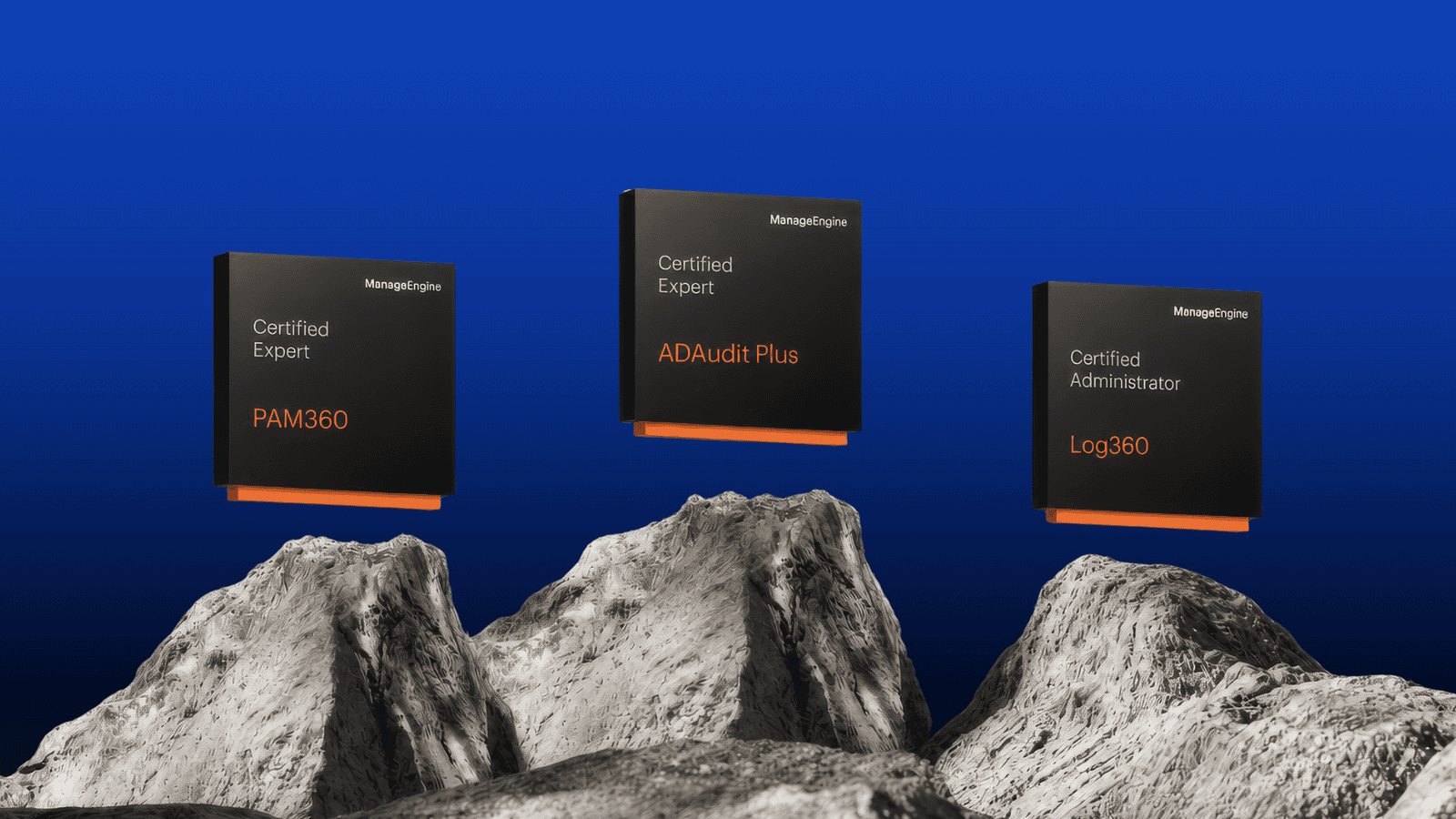
The badge names can add to the confusion. Some Academy badges are called Certified Administrator or Certified Expert. Those are still free Academy badges, earned by passing courses, and not part of the paid certification program.
Which badge to start with
Start with a badge for the product you use most at work, at the Foundational tier. That gives you a quick first badge on something you can apply the next day.
Most major products offer two badge levels. Certified Administrator covers deploying and running the product. Certified Expert covers governing and automating it. Earn the Administrator badge first unless you already run the product day to day.
The Academy lets you browse courses several ways:
- By product. Go to the products page if you already know which ManageEngine product you want to learn.
- By role. Go to the roles page if you think in terms of your job, such as AD administrator or SOC administrator.
- By learning path. Go to the learning paths page if you want a set of related courses in a planned order.
- By tier. Courses are grouped as Foundational, Advanced and Specialty.
If you are new to the Academy, our guide to learning ManageEngine for free covers signing up and finding your first course. To see how courses group into paths, read ManageEngine learning paths explained.
Registration takes an email address and a one-time passcode, and it is open to everyone, customer or not.